By: Dipin Sehdev
Walk into any electronics store today and you’ll see the same pitch repeated across every TV brand:
“It has all the apps built in.”
Netflix. Disney+. YouTube. Prime Video. Apple TV+. All right there on the home screen. No extra hardware required. And for most buyers, that sounds perfect. Plug in the TV, connect Wi-Fi, log into your accounts, and you’re done. But if you’ve spent time in home theater circles, or even just tried using a five-year-old smart TV, you’ve probably run into a different reality.
- Apps stop updating.
- Performance slows down.
- Features disappear.
Which raises the question:
Should you rely on your TV’s built-in apps—or should you use an external streaming device like an Apple TV, Roku, Nvidia Shield, or Fire TV Stick?
After years of watching how streaming platforms evolve, my position is simple:
External streaming devices are still the better long-term solution.
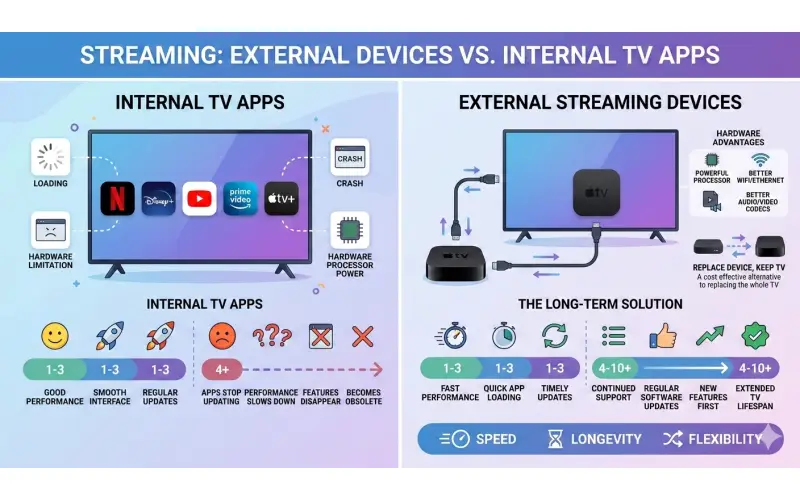
Internal apps can work well when a TV is new. But over time, the advantages of a dedicated streaming device become hard to ignore.
Let’s break down why.
The Promise of Smart TV Apps
When smart TVs first appeared in the early 2010s, the idea was simple.
Your television would become the hub for entertainment:
-
Streaming services
-
Music apps
-
Web browsing
-
Smart home integration
Manufacturers built entire operating systems around that idea:
-
LG webOS
-
Samsung Tizen
-
Google TV / Android TV
-
Roku TV
-
Fire TV
And for the first few years after purchase, these platforms usually work well. Apps load quickly. Navigation feels modern. Streaming quality is excellent. But the issue isn’t how well they work today. The issue is how long they continue working well.
The Update Problem
One of the biggest weaknesses of built-in TV apps is software longevity. Smart TVs have long lifespans. People often keep them 7–10 years or more. But streaming apps evolve much faster than that.
Netflix, Disney+, YouTube, and other platforms continuously update their apps to support:
-
new video codecs
-
better security
-
HDR formats
-
improved user interfaces
-
ad-supported tiers
-
DRM changes
And eventually older TVs simply can’t keep up. In fact, Netflix periodically drops support for older hardware when it can no longer run the latest app features or security requirements. In 2026, Netflix began removing support for millions of older devices—including smart TVs and legacy streaming boxes that could not support modern video formats or security features. This happens for a simple reason: Your TV’s operating system is tied to the manufacturer. If Samsung, LG, or Sony stops updating the platform, the apps eventually stop updating too. External streaming devices avoid this problem.
Why External Streaming Devices Age Better
A dedicated streaming box has one job: Run streaming apps. Because of that, companies like Apple, Roku, and Amazon tend to support their devices longer and update them more frequently. Take Apple TV as an example. Apple still supports devices released many years ago with tvOS updates and app compatibility. Older Apple TV models only lost Netflix support when they reached well over a decade of age. Meanwhile, many smart TVs lose major app support much sooner because their operating systems stop receiving updates.
In practical terms, that means:
-
Your 2018 TV might already be missing app updates
-
A 2018 Apple TV or Roku may still receive updates
External devices simply age more gracefully.
Hardware Matters More Than You Think
There’s another reason streaming boxes tend to perform better: Processing power. Smart TVs are built to hit price targets.
Manufacturers spend money on:
-
panels
-
backlights
-
speakers
-
chassis design
The processor running the smart interface has shared priority. External streaming devices are different. They’re designed specifically for running apps smoothly. A device like the Apple TV 4K or Nvidia Shield has far more processing power than the chips inside most televisions.
That translates into:
-
faster app loading
-
smoother navigation
-
less stuttering
-
quicker updates
-
better long-term performance
It’s the difference between running apps on a laptop versus a low-end tablet. Both work, but one ages better.
App Features Often Arrive on External Devices First
Another subtle advantage of external streamers is feature support. Streaming companies prioritize certain platforms when rolling out updates.
Why?
Because those platforms are easier to maintain. A single Apple TV app works across millions of devices with identical hardware. Smart TVs are a different story.
Each manufacturer has:
-
different processors
-
different operating systems
-
different hardware capabilities
Supporting them all is harder. So developers often optimize for external devices first. That’s why you sometimes see new streaming features arrive earlier on devices like Apple TV or Roku.
The Home Theater Advantage
For serious home theater setups, external devices offer another key benefit: flexibility.In many systems, streaming devices connect directly to an AV receiver.
That allows:
-
better audio routing
-
easier switching
-
cleaner signal management
For example, a typical setup might look like this: Streaming device → AV receiver → TV
That configuration ensures:
-
full Dolby Atmos audio
-
high-bandwidth HDMI signals
-
consistent device control
While some smart TVs support eARC audio return, relying on internal apps can still introduce compatibility quirks depending on the TV model and receiver. External devices simplify the chain. This also makes updating your gear tied to the device and not the streaming experience.
Reliability Is Another Factor
Anyone who has owned a smart TV long enough has probably experienced this:
Apps crash.
Apps freeze.
Apps stop launching.
Sometimes it’s because the TV’s OS hasn’t been updated. Other times it’s because an app developer stopped optimizing for that platform. External streaming devices tend to be more stable because they’re updated more frequently and run more standardized software environments. Even if something goes wrong, replacing the device is cheap. Replacing a TV isn’t.
Price Isn’t the Barrier It Used to Be
Another reason external devices make sense: They’re inexpensive. Most streaming sticks cost between $20 and $50, making them an easy upgrade if your TV’s built-in apps stop working. That means you can extend the life of an otherwise perfectly good TV. Instead of replacing a 65-inch display just because apps stopped working, you plug in a streaming device and move on.
But Smart TV Apps Aren’t Completely Bad
To be fair, built-in apps aren’t useless. In fact, they’re often very good when a TV is new.
Modern platforms like:
-
Google TV
-
Roku TV
-
LG webOS
-
Samsung Tizen
can deliver smooth experiences with excellent streaming quality. For many casual viewers, internal apps are perfectly fine for the first several years. And some TVs integrate streaming services deeply into their interfaces in ways external devices can’t. But the key phrase there is for the first several years. The problems appear later.
The Long-Term Reality of Smart TVs
Smart TVs sit at an awkward intersection between two industries: Hardware and software. Hardware moves slowly. Software moves extremely fast. That mismatch is why smart TV platforms age poorly.
Streaming companies continuously update apps to support new technologies like:
-
new video codecs
-
HDR improvements
-
audio formats
-
security updates
-
interface redesigns
Older TVs eventually can’t support those changes. At that point, the apps disappear. And suddenly your “smart” TV isn’t so smart anymore.
External Devices Keep Your TV Relevant
One of the biggest advantages of external streaming hardware is that it decouples your TV from your streaming platform. Your TV becomes a display. Your streaming device becomes the smart layer. That separation has huge benefits. If a streaming platform changes its app architecture, you update the box, not the TV. If a new format like AV1 becomes popular, you upgrade the streamer. If a new interface launches, you get it instantly. The TV itself can remain unchanged for years.
The Nvidia Shield Argument
There’s also a category of streaming device aimed at enthusiasts. Devices like the Nvidia Shield offer features that TVs simply can’t match.
These include:
-
advanced upscaling
-
powerful GPUs
-
gaming features
-
Plex server capabilities
They’re essentially mini computers optimized for media playback. For home theater enthusiasts, they remain one of the best ways to manage local media libraries.
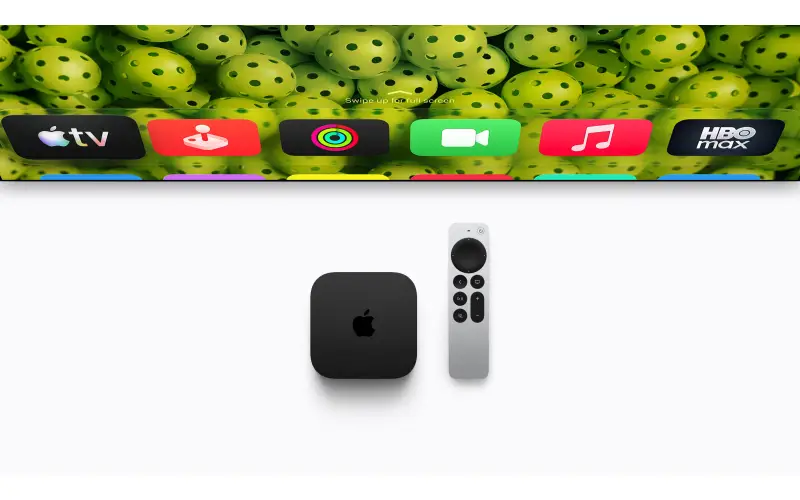
The Apple TV Factor
Apple TV is another standout.
Its advantages include:
-
extremely fast interface
-
long software support cycles
-
excellent Dolby Vision and Atmos support
-
tight integration with Apple devices
It’s not the cheapest option, but it’s one of the most polished. And because Apple updates tvOS frequently, the experience remains consistent for years.
Roku and Fire TV: The Budget Champions
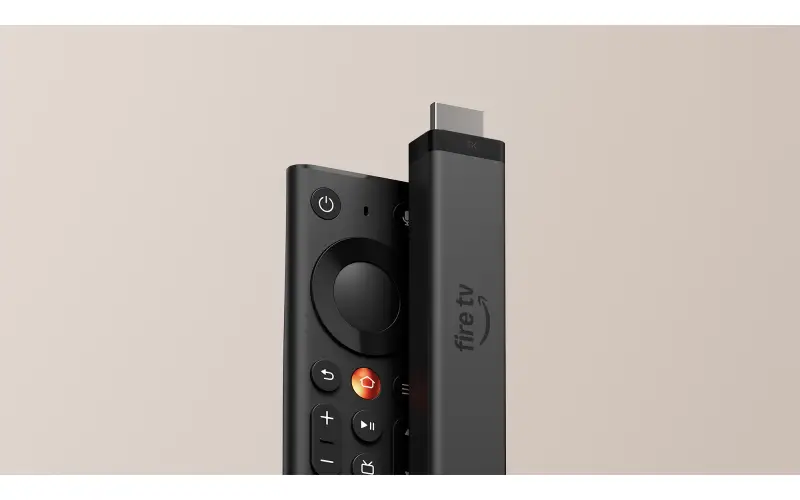
For people who simply want something cheap and reliable, Roku and Fire TV sticks are hard to beat. They’re affordable. They support virtually every streaming service. And if one stops working in five years, replacing it costs less than a dinner out.
So Which Approach Should You Use?
If you just bought a brand-new TV, the built-in apps are probably fine. Use them. Enjoy them. But if you’re thinking long term, or building a home theater, the better solution is to rely on an external device.
It gives you:
-
better longevity
-
faster performance
-
more consistent updates
-
greater flexibility
And most importantly, it keeps your TV from becoming obsolete just because an app stopped working.
The Bottom Line
Smart TVs promised to simplify streaming. In many ways, they did. But they also created a new problem: televisions tied to aging software platforms. External streaming devices solve that problem by separating the screen from the software.
They’re faster.
They’re updated longer.
They’re easy to replace.
And in a home theater setup, they integrate more cleanly with the rest of your equipment. Internal apps may be convenient. But if you want the best long-term experience, the smarter move is still the old-fashioned one: Plug in a streaming box. Your TV will thank you five years from now.
Streaming Device Comparison
| Device | Latest Version | Price (USD) | Platform / OS | Key Features | Best For |
|---|---|---|---|---|---|
| Apple TV 4K | 3rd Gen (2022) | ~$129–$149 | tvOS | A15 Bionic chip, Dolby Vision, HDR10+, Dolby Atmos, Wi-Fi 6, Apple ecosystem integration, Thread smart home hub | Premium streaming & Apple ecosystem users |
| Roku Ultra | 2024 | ~$80–$100 | Roku OS | 4K HDR, Dolby Vision, Dolby Atmos, Wi-Fi 6, Ethernet port, voice remote with headphone jack | Simple UI and broad app support |
| NVIDIA Shield TV Pro | 2019 (still current) | ~$199 | Android TV / Google TV | Tegra X1+ processor, AI upscaling, Dolby Vision & Atmos, GeForce NOW gaming, Plex server support | Power users & home theater enthusiasts |
| Amazon Fire TV Stick 4K Max | 2023 | ~$55–$60 | Fire OS | 4K HDR, Dolby Vision, Wi-Fi 6E, Alexa voice control, cloud gaming support | Alexa users & budget streaming |
| Amazon Fire TV Stick 4K | 2023 refresh | ~$40–$50 | Fire OS | 4K HDR, Dolby Vision, Dolby Atmos, Alexa remote | Affordable streaming upgrade |
| Roku Streaming Stick 4K | 2021 (current retail model) | ~$40–$50 | Roku OS | Dolby Vision, HDR10+, compact stick form, strong Wi-Fi range | Budget streaming |
| Google Chromecast with Google TV | 2022 (HD & 4K models) | ~$30–$50 | Google TV | Chromecast casting, Google Assistant, personalized recommendations | Google ecosystem users |
| Onn Google TV 4K Box | 2023 | ~$20–$30 | Google TV | Basic 4K streaming, Google Assistant, low price | Budget users |
Quick Feature Comparison
| Feature | Apple TV 4K | Roku Ultra | Nvidia Shield | Fire Stick 4K Max | Chromecast |
|---|---|---|---|---|---|
| Dolby Vision | ? | ? | ? | ? | ? |
| Dolby Atmos | ? | ? | ? | ? | ? |
| Gaming Support | Apple Arcade | Limited | GeForce NOW | Cloud gaming | Limited |
| Ethernet Port | On higher model | ? | ? | Adapter needed | No |
| Smart Home Hub | Thread / HomeKit | Basic | Google Assistant | Alexa | Google Assistant |
| AI Upscaling | Good | Basic | Advanced | Basic | Basic |