By: Dipin Sehdev
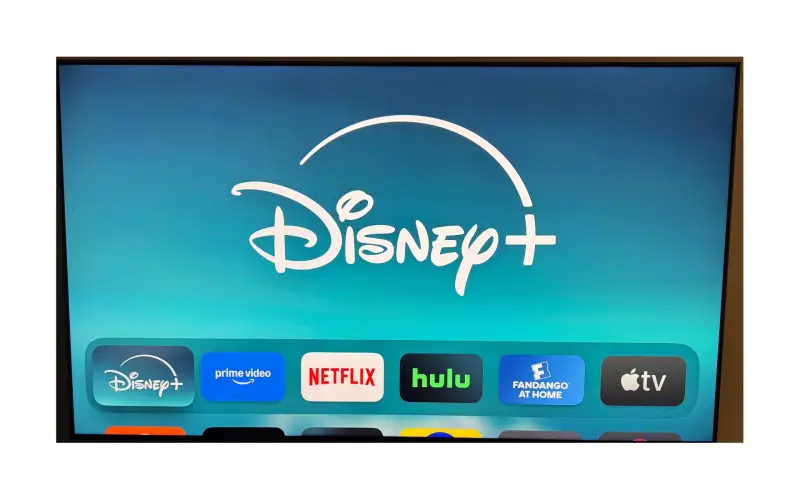
For months, Apple TV 4K users have been frustrated by a persistent issue with Disney+ that prevented proper Dolby Vision playback and sometimes ignored frame rate matching. Enthusiasts with high-end TVs noticed their picture defaulting to HDR10 or SDR, and movies playing back with distracting judder. After simmering complaints on forums and social media, Disney has quietly rolled out a fix—and the good news is that Dolby Vision and frame rate matching are now working as expected on Apple TV with the latest app update.
The Fix Arrives
Disney+ didn’t make a big public announcement, but users who have updated both their Disney+ app and Apple TV to the latest software versions are reporting that Dolby Vision now activates correctly and frame rate switching works as intended. That means titles like Avengers: Endgame, Avatar: The Way of Water, and The Mandalorian finally display in their full cinematic quality, with vibrant colors and smooth motion that match the filmmaker’s intent.
For Apple TV 4K owners, this fix restores confidence in both the hardware and the streaming service. Apple TV has long been considered the premium choice for home theater setups, thanks to its consistent support for advanced formats like Dolby Vision and Dolby Atmos. With Disney+ now back in alignment, the experience feels complete again.
Why It Matters
Dolby Vision is more than a buzzword—it’s a dynamic HDR format that optimizes brightness, contrast, and color scene by scene. Without it, blockbuster films and Disney classics lose much of their visual punch. Frame rate matching is equally critical, ensuring that a 24fps film plays back smoothly instead of being forced into 60fps, which can introduce judder. For casual viewers on budget TVs, these details may not matter. But for enthusiasts who invest in OLED displays, high-end sound systems, and Apple TV 4K hardware, the difference is significant.
The fix shows that Disney was listening, even if it took longer than many would have liked. Now, the responsibility shifts back to users: make sure your Apple TV and Disney+ app are updated so you can take advantage of the improvements.
How to Update tvOS on Apple TV
To ensure you’re running the latest version of tvOS (currently tvOS 26), follow these steps:
-
Open Settings on your Apple TV.
-
Scroll down and select System.
-
Choose Software Updates.
-
Select Update Software.
-
If an update is available, you’ll see an option to Download and Install.
-
-
Wait for the update to complete. Your Apple TV will restart when it’s finished.
Tip: You can also enable Automatically Update in the same menu so your Apple TV always stays current without manual checks.
How to Update the Disney+ App
Just like tvOS, the Disney+ app needs to be updated to the latest version:
-
Open the App Store on your Apple TV.
-
Go to the Purchased section and locate Disney+.
-
If an update is available, you’ll see an Update button—select it to install.
-
To make things easier in the future, go to Settings > Apps and enable Automatically Update Apps.
With both tvOS 26 and the newest Disney+ app installed, Dolby Vision and frame rate matching should work correctly.
A Smoother Future for Streaming
The resolution of this issue underscores the importance of app developers keeping pace with Apple’s strict video standards. Apple TV users expect seamless integration across services, and when a major app like Disney+ falters, it undermines the device’s reputation as the best streaming box on the market.
Thankfully, with this fix, Apple TV owners can once again enjoy the full scope of Disney’s vast library—Marvel, Star Wars, Pixar, and classic animated films—in the formats that make their home theaters shine.
Final Thoughts
Streaming promises convenience and quality, but the Disney+ Dolby Vision issue was a reminder of how fragile that balance can be. Now that the fix is live, Apple TV 4K owners can breathe easier. The combination of Disney’s premium catalog and Apple’s premium hardware once again delivers the gold-standard streaming experience enthusiasts expect.
If you’ve been holding off on Disney+ or were frustrated enough to consider canceling, it’s worth giving the app another try. Update your Apple TV, update the Disney+ app, and dive back into the galaxy far, far away—or the Marvel multiverse—in the dazzling clarity of Dolby Vision.